- Display the stop codon absence region of the sequence lane of the main feature map in amino acid translation.
- Normally, only the actual coding region is translated, but this function displays all coding region candidates in amino acid translation.
Hide translation

Translation display

Operation
- Select Settings -> Feature Setting from the menu.
- The Feature Setting dialog will be displayed.
- Click the "Sequence Lane" tab.
- The Sequence Lane tab pane appears.
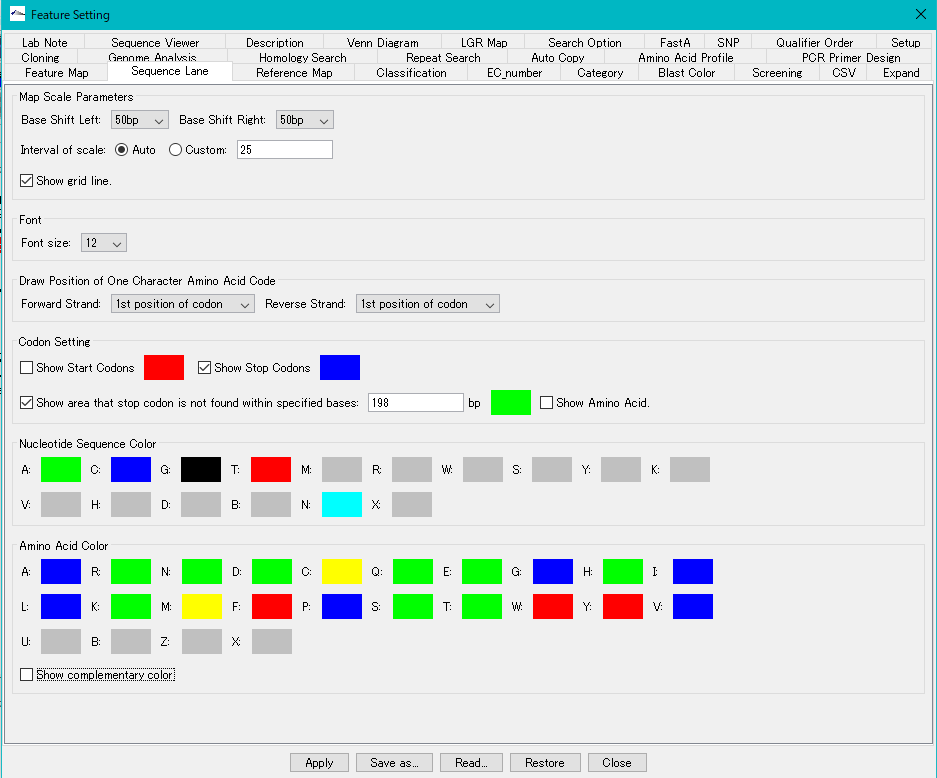
- Check the Codon Setting -> Show Amino Acid check box.

- Click "Apply".
- The translation amino acid sequence is displayed in the stop codon absence region.
-