


| If you unlicense the PC or Mac using IMC, you can activate it on another PC or Mac. | ||
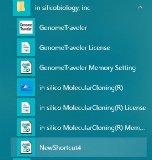 |
Exit IMC on the PC or Mac that you want to deactivate. From the start menu, select in silico biology, inc -> Activation
|
|
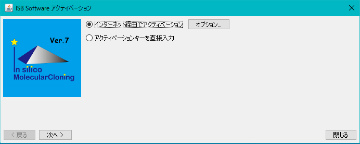 |
The ISB Software Acitivation dialog is displayed. Turn on the "Activate via the Internet" radio button. Click "Next".
|
|
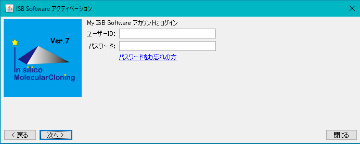 |
The message "Login to my ISB Software account" is displayed and the entry fields for user ID and password are displayed. Enter your user ID and password and click "Next".
|
|
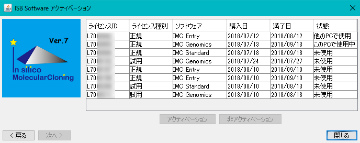 |
A list of licenses owned by the logged-in user is displayed. Click on the license you want to deactivate (deactivate) license activation that is "in use". |
|
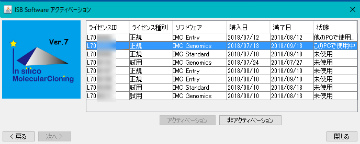 |
The license line is highlighted and at the same time the "Deactivation" button is clickable. Click "Deactivation". |
|
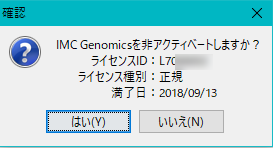 |
A message saying "Do you want to deactivate IMC XXXXXX?", The target license ID, the license type, and the expiration date are displayed. If it is OK, click "Yes (Y)". |
|
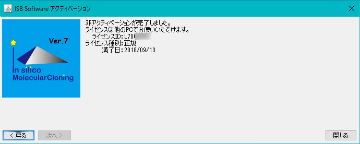 |
The message "Deactivation is complete, you can use the license on another PC" will be displayed. Click "Close". The ISB Software Activation dialog closes. You can now activate this license for use on another PC or Mac. It is also possible to activate again with a nonactivated PC or MAC. |