




In sequencing primer design, you can repeatedly design the primer by manually changing the conditions for the region where primers could not be designed.
Operation
- Execute from the state where Primer Design List dialog is displayed.
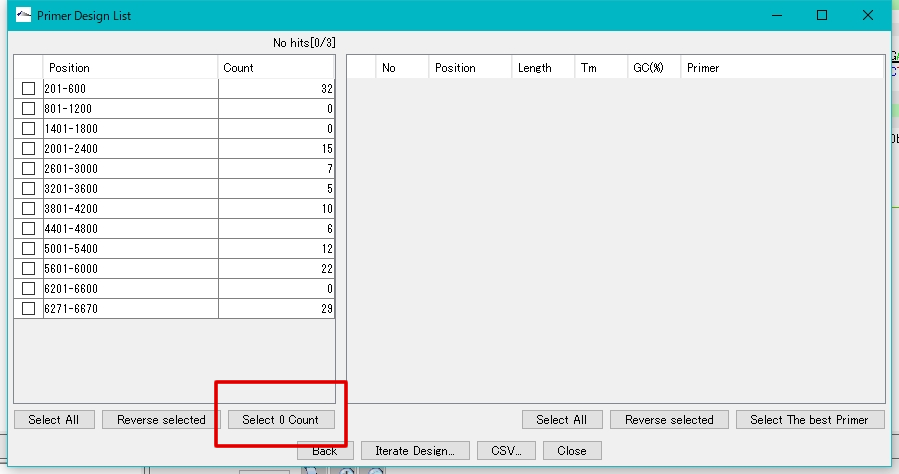
- Click "Select 0 Count".
- The regions where primers could not be designed are checked.
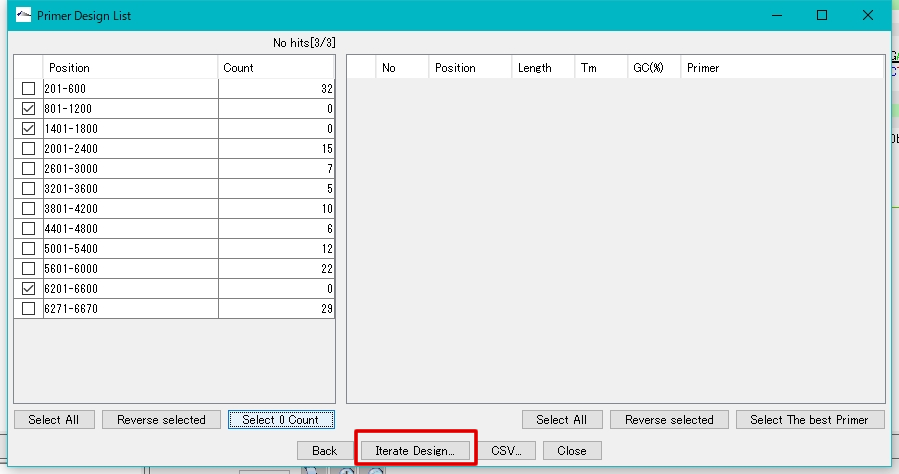
- Click "Iterate Design ...".
- The "Sequencing Primer Design" dialog is displayed.
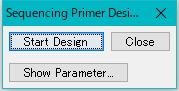
- Click "Show Parameter ...".
- The parameter setting area is expanded and displayed.
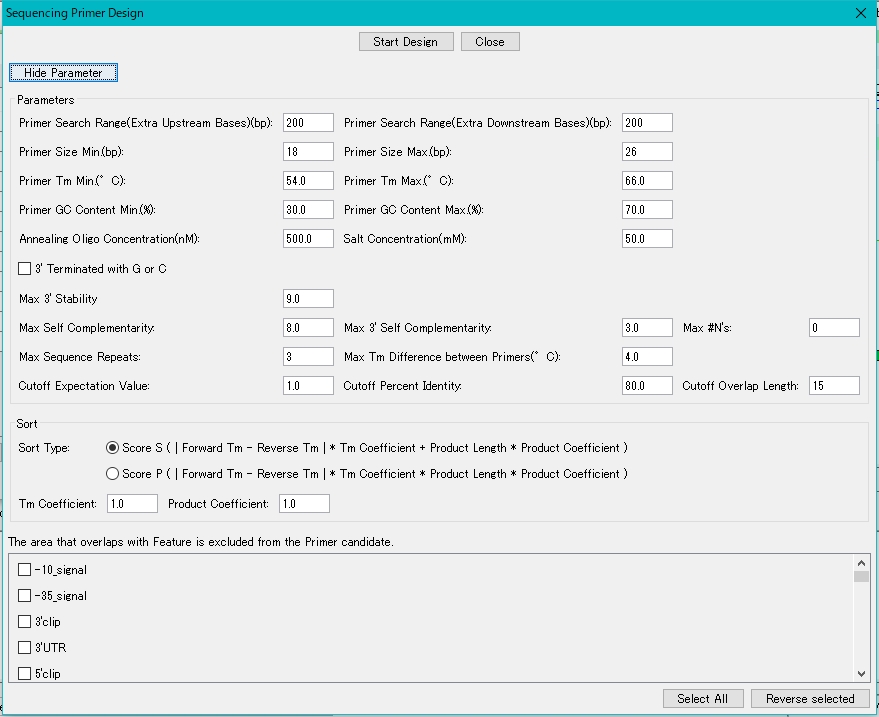
- Here, make the design condition a little looser than the previous condition.
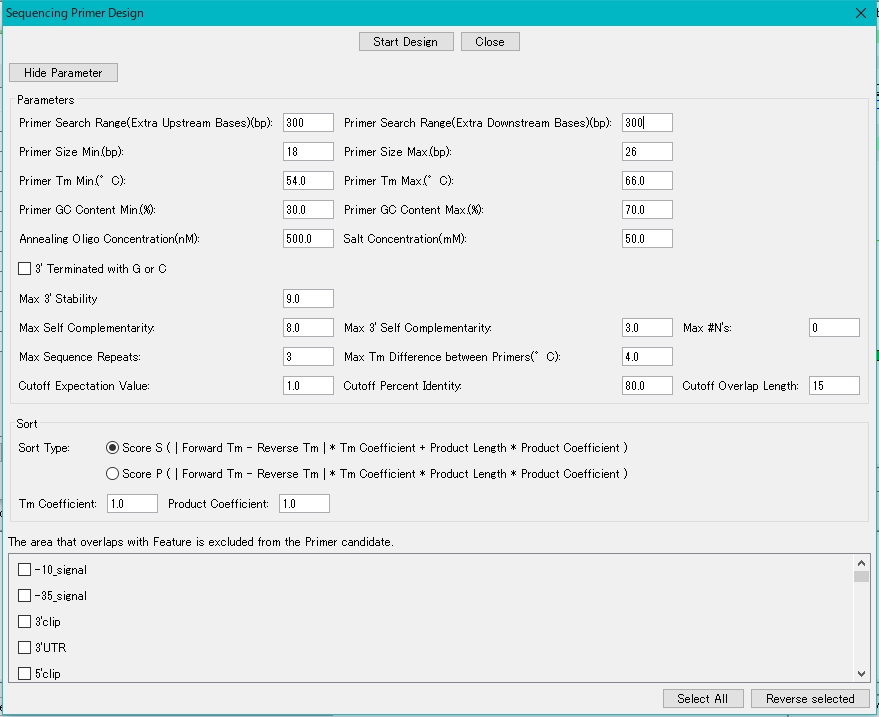
- Click "Start Design ..".
- A redesign is started and a progress message is displayed during execution.
- Once done, the results designed in the Primer Design List dialog will be displayed
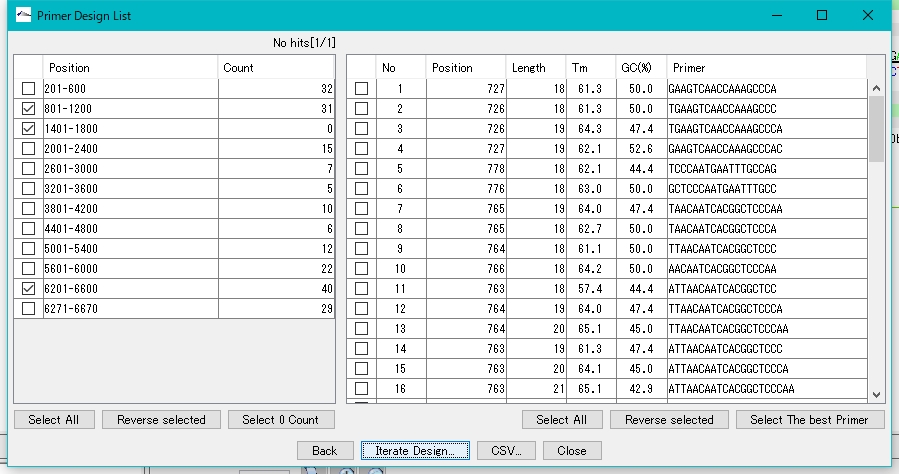
- Repeat until there are no more regions that can not be designed.